

Looking for an editor for your story? Word feels too simple, Scrivener too complex? You enjoy writing in a continuous document, but once your manuscript grows, restructuring it becomes a struggle. Dedicated writing tools offer more structure, yet setting up an outline or editing one scene at a time may feel restrictive when you just want to write.
How about trying MaweJS?
Writers are often described as pantsers or planners. Pantsers start writing and follow the story wherever it goes. Planners (or plotters) build an outline before they begin.
But there is a third category: plantsers. I happen to be one of them. I start writing like a pantser, then at some point I need to plan, reorganize, and reshape what I have written. That is why I wrote Mawe.
MaweJS is what you use when Word stops working. When copy-paste and scrolling are no longer enough, bring your text into MaweJS and keep writing.
MaweJS follows a simple principle: write first, structure later. You can begin with nothing but text and use the structural tools when you need them. Perhaps you already have 100,000 words and are wondering how to turn them into a finished novel. MaweJS helps you see the structure in that text and move it into shape.
MaweJS feels like a continuous document editor, with scenes, chapters, and acts underneath. You decide how much of that structure to use.
Open a new file and start your story. There is no outline to prepare or project to set up.
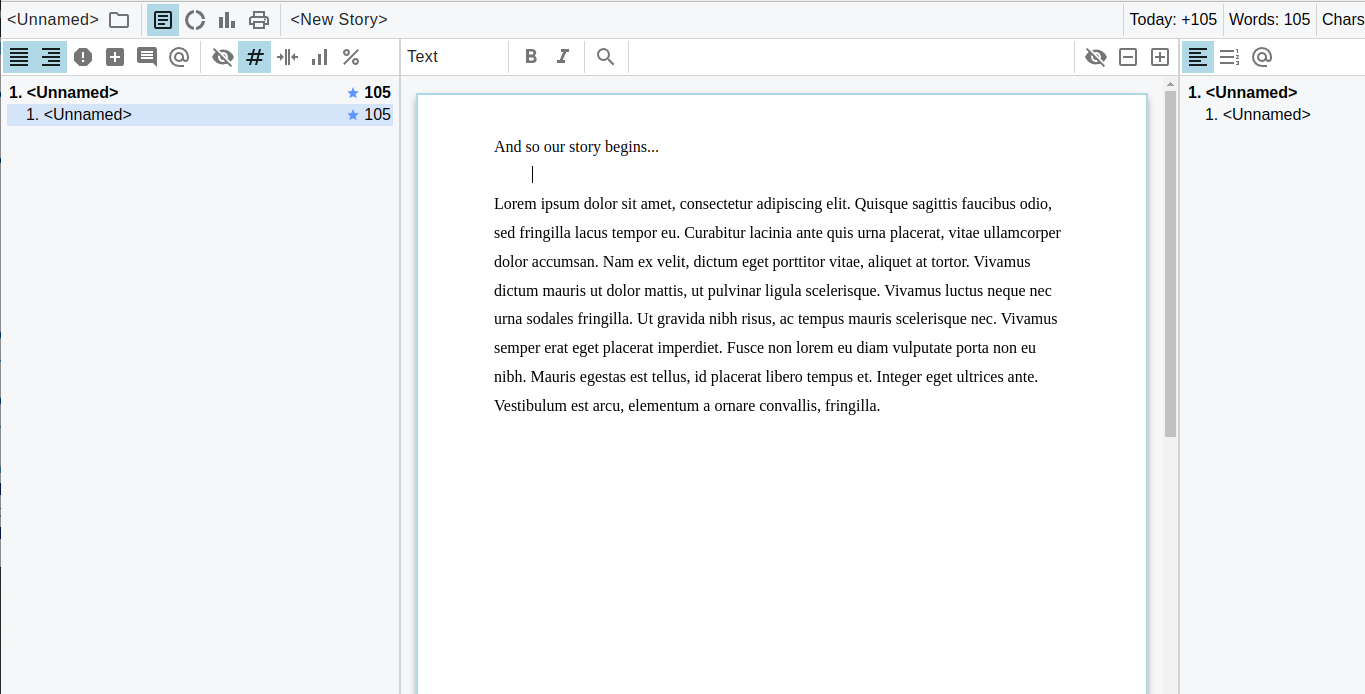
Split text into scenes and groups. Adding structure works much like applying headings in Word or LibreOffice. You can write freely first and divide the text later.
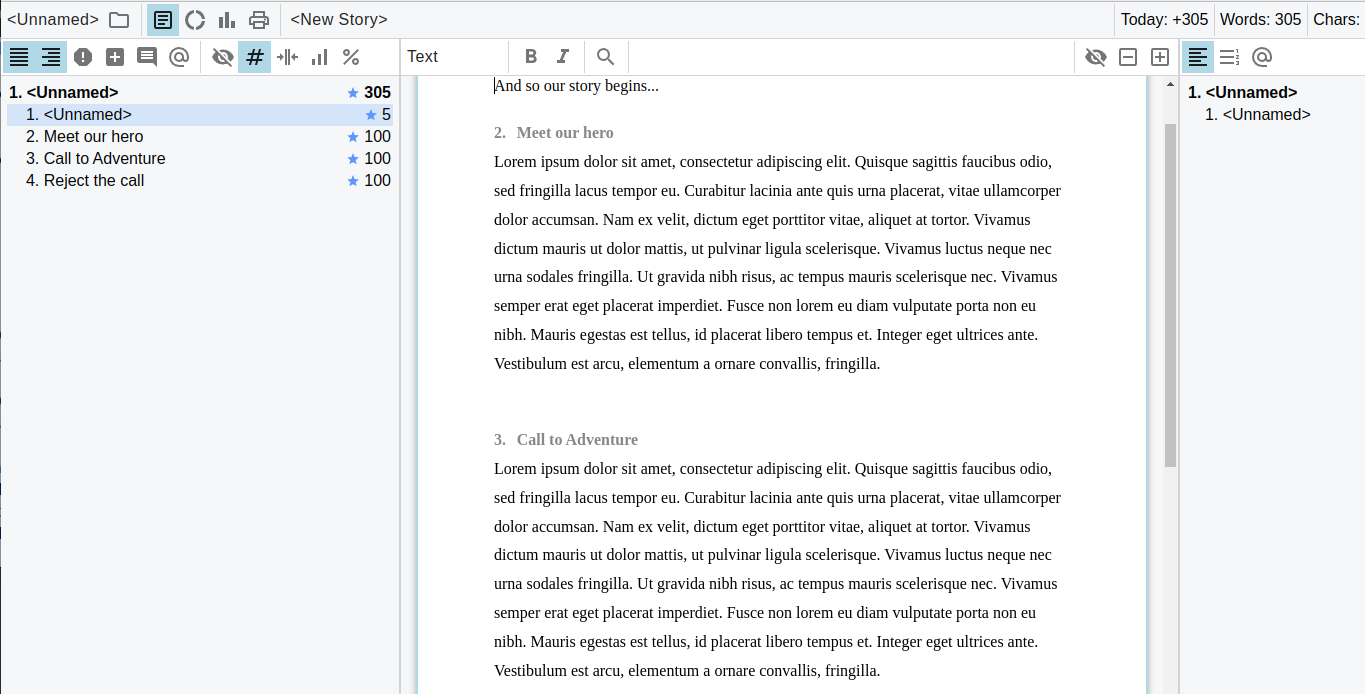
Move things around. Drag scenes to a new position in the story index, or move a group of related scenes together. Your draft and notes have their own sections. Even if you use nothing else, a drag-and-drop story index can make a large manuscript much easier to manage.
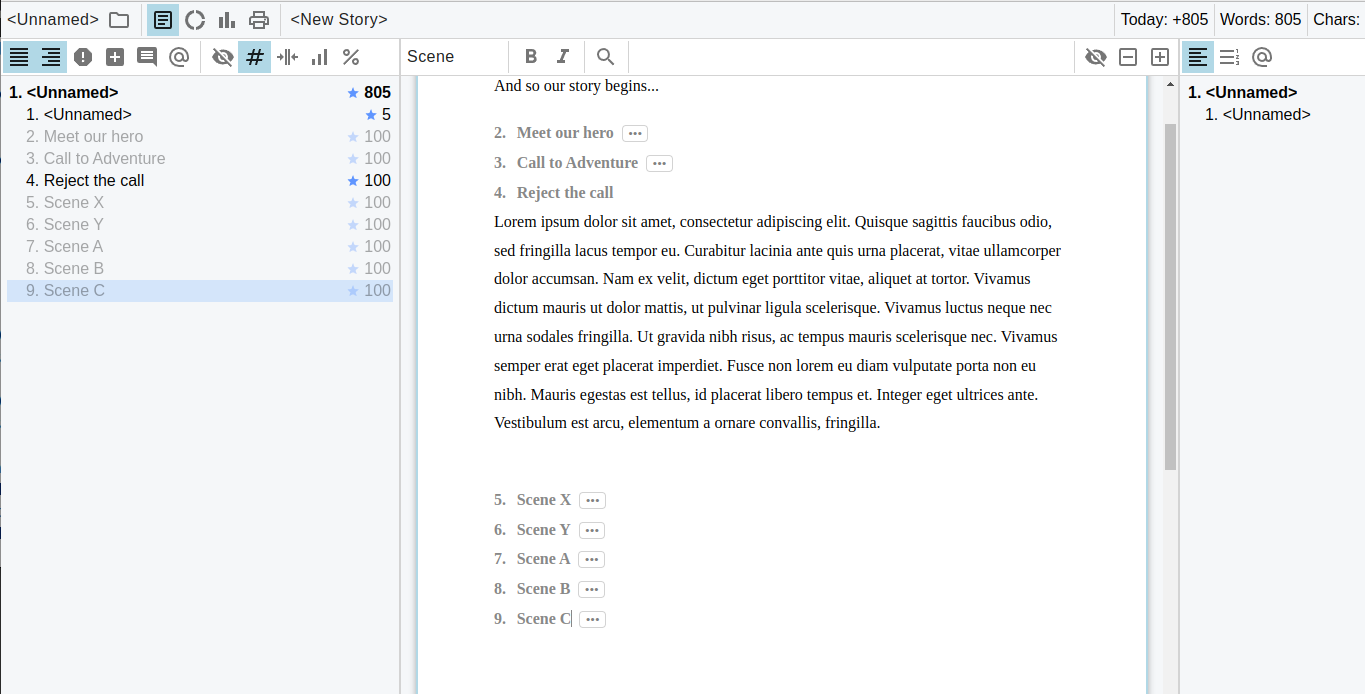
Fold text out of the way. Hide the parts you are not working on and choose which scenes remain visible. Work on one scene or keep several passages open together.
Leave yourself comments. Keep reminders alongside the story for as long as you need them. They will not appear in the exported manuscript.
Mark what is missing. Leave a description of an unfinished passage and come back to it later. Set target word counts for scenes, chapters, and acts to see how much is still missing.
Explore story structure. View a diagram of your story and compare it with K. M. Weiland's story structure templates or Blake Snyder's Beat Sheet.

MaweJS has been used to write hundreds of stories of various lengths. It is the latest in a series of tools I have developed and used for fiction writing since the mid-2000s.
Here it is while I am editing one of my stories in Finnish. The draft index is on the left, the manuscript in the middle, and the notes index on the right:

You can read the story in Finnish or in English translation. More writing is available on my AO3 account and in this collection of works written with MaweJS.
Open the latest release and expand Assets to download the package for your system. In the filenames below, x.y.z is the release version.
- Windows Portable — try without installing: Download
mawejs.x.y.z.exeand run it. - Windows Setup (NSIS) — install MaweJS: Download
mawejs.Setup.x.y.z.exeand run the installer.
Windows security warnings: The Windows packages are not digitally signed, so Windows may warn that the publisher is unknown or the app is unrecognized. Download only from this project's GitHub releases. See Getting MaweJS in the Wiki for detailed download and installation instructions, including Windows security warnings.
Download mawejs-x.y.z.AppImage, make it executable, and run it. In a terminal opened in the download folder, use the actual filename in these commands:
$ chmod +x mawejs-x.y.z.AppImage
$ ./mawejs-x.y.z.AppImage
If the AppImage reports a sandbox error, this workaround disables Chromium's sandbox:
$ ./mawejs-x.y.z.AppImage --no-sandboxMac binaries need paid signing keys and I don't have them. You can run MaweJS from sources.
Interested, but unsure about trying it? "Thinking about trying MaweJS?" in the Wiki walks through exploring the editor, trying it with your writing, and getting your text back out if it is not for you.
I would love to hear what would help MaweJS work for you. If something makes you hesitate to try it, tell me what worries you. If you tried it and it did not fit your way of writing, tell me what got in the way. If you want a feature, tell me what you would use it for and why it matters to you.
Start a discussion, or open an issue for a specific bug or improvement. You do not need to have tried MaweJS or be a programmer to join the conversation.
Are you a writer who also codes? That is how MaweJS started, and I would welcome help making it better. Getting a local copy running is the first step.
You need Git and Node.js with npm installed. On Windows, Git Bash is a convenient shell for these commands.
Clone the repository and enter its directory:
git clone https://github.com/mkoskim/mawejs.git
cd mawejs
If you plan to contribute, fork the repository and clone your fork instead.
Install the dependencies, then launch MaweJS:
npm install
npm run dev
Open one of the example documents to try the editor without using your own manuscript.
The app uses Electron, React, and Slate, with JavaScript and JSX sources. The client code contains the UI, editor, and document logic; Electron provides desktop services such as file access. Each area has a README to help you get started.
For changes to writing behavior, start with the Slate editor. Available test and build commands are in package.json.
See Want to contribute? and Most wanted! for ways to help, or join the discussions to talk about an idea.
Pull the latest changes and refresh dependencies:
git pull
npm installUbuntu sandbox permissions: If running from source fails because of Chrome sandbox permissions, run npm run fix. This uses sudo to set the owner and SUID bit on Electron's chrome-sandbox binary, and may need repeating after Electron updates. The commands are visible in package.json.
Debugging: If React DevTools do not appear, try reloading the application window. See the Electron DevTools issue or the VS Code Electron debugging guide for more background.
MaweJS is available under the MIT License.