
A configurable Neovim colorscheme with support for Tree-sitter highlighting and many plugins.
| Light | Dark |
|---|---|
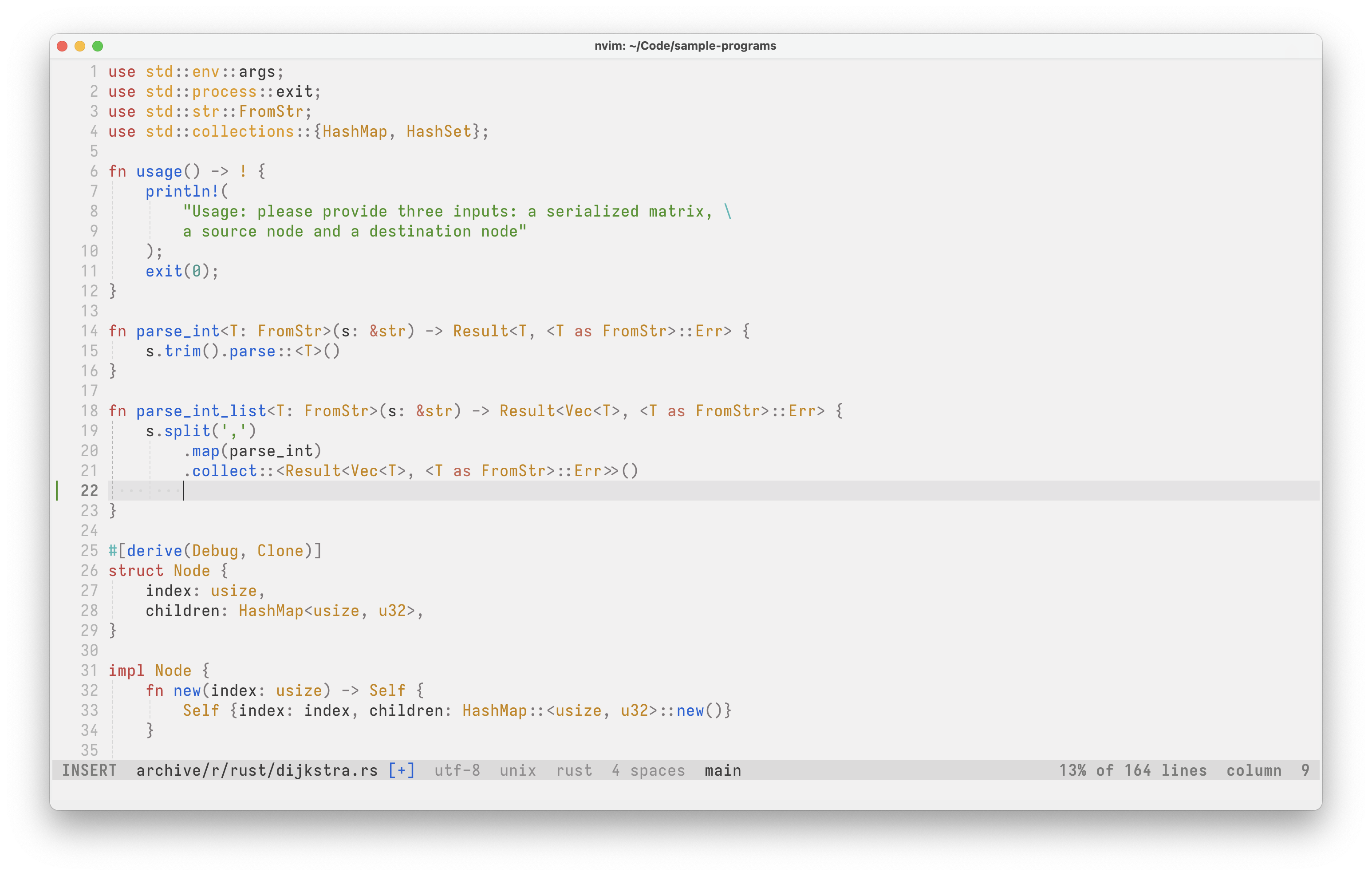
|

|
(click on the images to enlarge them) |
|
Note
carbide.nvim is a work in progress. While the configuration format is stable there may be slight changes to the colors, their names and their use throughout the colorscheme.
Important
Something does not look good in your favorite language or support for a plugin or terminal is missing? Feel free to open an issue or submit a PR to fix it!
You can install carbide.nvim manually or using your plugin manager of choice. All that matters is that it gets placed in a directory where Neovim can find it (see :help runtimepath inside Neovim for such locations). Two examples are given below.
- Neovim 0.10 or above
- A terminal with true color support
Manual installation with Git:
mkdir -p "${XDG_DATA_HOME:-$HOME/.local/share}/nvim/site/pack/carbide/start" && \
git clone https://github.com/ferdinandrau/carbide.nvim \
"${XDG_DATA_HOME:-$HOME/.local/share}/nvim/site/pack/carbide/start/carbide.nvim"
Installation (and use) with lazy.nvim:
{
    'ferdinandrau/carbide.nvim',
    priority = 1000,
    opts = { --[[ your options here ]] },
    config = function(_, opts)
        require('carbide').setup(opts)
        require('carbide').apply()
    end
}carbide.nvim registers three colorschemes for you to choose from. They can be appiled via the apply function or the Vim command :colorscheme, both ways are equivalent.
-
carbiderespects Neovim'sbackgroundoption, changing between light and dark to match it.require('carbide').apply() -- or -- vim.cmd.colorscheme('carbide')
-
carbide-lightalways shows the light variant, irrespective ofbackground.require('carbide').apply('light') -- or -- vim.cmd.colorscheme('carbide-light')
-
carbide-darkalways shows the dark variant, irrespective ofbackground.require('carbide').apply('dark') -- or -- vim.cmd.colorscheme('carbide-dark')
The carbide Lua module also provides a setup function to customize the appearance of the colorscheme. It does not have to be called if you are happy with the defaults. Make sure to call it before applying the scheme, otherwise there is no way for your options to take effect.
A call to setup looks something like this:
require('carbide').setup({
    style = {
        keywords = { bold = true },
        strings = { italic = true },
    },
    palette_overrides = {
        dark = {
            bg1 = '#17131C',
            bg2 = '#222028',
            fgc_green = '#0F5722',
            fgc_blue = '#0B4AED',
        },
    },
})
The upcoming three subsections include everything there is to say about setup, complete with examples that should hopefully clear up any confusion. If questions persist you can always ask, just make sure to do it in the right place.
{
    set_terminal_colors = true,
    fallback_background = "light",
    style = {
        transparent = false,
        gutter = "editor",
        keywords = { bold = false, italic = false },
        variables = { bold = false, italic = false },
        functions = { bold = false, italic = false },
        strings = { bold = false, italic = false },
        comments = { bold = false, italic = false },
    },
    plugins = {
        ["lazy.nvim"] = true,
        ["mason.nvim"] = true,
        ["indent-blankline.nvim"] = true,
        ["gitsigns.nvim"] = true,
        ["telescope.nvim"] = true,
        ["nvim-tree.lua"] = true,
        ["neo-tree.nvim"] = true,
        ["mini.icons"] = true,
        ["nvim-cmp"] = true,
        ["blink.cmp"] = true,
    },
    palette_overrides = false,
    scheme_overrides = false,
}(click to expand)
set_terminal_colors
- Expects:
boolean - Description: Whether to change the 16 colors of the built-in terminal.
fallback_background
- Expects:
"light"or"dark" - Description: The variant to use when the dynamic version (the
carbidecolorscheme) is applied and thebackgroundoption is – for some weird reason – empty.
style.transparent
- Expects:
boolean - Description: Whether to show a solid background or not: If set to true, the underlying GUI's background will show through, which is usually needed for a transparency effect.
style.statuscolumn
-
Expects:
'editor'or'editor_extended'or'solid'or'solid_extended' -
Description: Determines how the statuscolumn (the area containing line numbers, signs etc.) is highlighted. The values with the "editor" prefix will give it the same background color as the editing area, the "solid"-pefixed values will make it have a distinct color. The "extended" version of each will make the cursorline extend into the statuscolumn. Here are some screenshots illustrating the difference:
"editor"
"editor_extended"
"solid"
"solid_extended"


Please note that the extended cursorline highlighting feature
culhlfor signs is both poorly designed and not supported by many plugins. The background color of the cursorline may clash with that of signs because of this.


style.keywords
style.variables
style.functions
style.strings
style.comments
- Expects:
tablewith up to two keysboldanditalicthat havebooleanvalues - Description: Shorthands for common customizations of syntactic elements.
plugins.* (meaning plugins['telescope.nvim'], plugins['nvim-tree.lua'] etc.)
- Expects:
boolean - Description: Whether to create highlight groups for the particular third-party plugin. The performance gain from setting this to
falseis minimal, but it's nice to have the option to nonetheless.
palette_overrides
- Expects:
falseor table with up to two keyslightanddarkthat havetablevalues themselves, mapping arbitrary color names to actual colors - Description: Allows you to override existing colors and define new ones. A table will be merged with the
DEFAULT_PALETTEdefined insidelua/carbide/palette.lua. To get a feel for the expected table structure, take a look at it and the examples below.falseis functionally equivalent to an empty table.
scheme_overrides
- Expects:
falseorfunctionthat takes up to three parameters (signaturefun(colors?, variant?, style?)) - Description: Allows for complete highlight customization. To use this, set it to a custom function that will receive the appropriate colors (the
lightordarkpart of the palette), which variant (the string'light'or'dark') a scheme is to be created for and thestyletable from the configuration . The function should return a table containing key-value pairs that specify highlights: The keys should be highlight group names, the values tables of options to be passed tonvim_set_hl. Seefill_default_schemeinsidelua/carbide/schemes.luafor the default mapping and the examples to get a feel for it.falseis functionally equivalent to a function which returns an empty table.
The things you specify here take precedence over everything else, including thestyleconfiguration option, which exists purely for the convenience of not having to use this option if all you want are the little tweaks for keywords, strings etc. it provides. The current state ofstyleis passed to your function to give you the option to respect it, but you don't have to. The third example shows how to implementscheme_overrideswhile still follwingstyle.variantcan be used to conditionally return different things, for example to make variable names blue in dark mode but black in light mode.
If you're familiar with Lua type annotations you may also be interested in the exact types of these options.
Making keywords bold and comments italicized via style
require('carbide').setup({
    style = {
        keywords = { bold = true },
        comments = { italic = true },
    }
})
Using palette_overrides to tweak some of the default colors
require('carbide').setup({
    -- See `DEFAULT_PALETTE` inside `lua/carbide/palette.lua` for
    -- all of the default colors.
    palette_overrides = {
        dark = {
            bg1 = '#17131C',
            bg2 = '#222028',
            fgc_green = '#0F5722',
            fgc_blue = '#0B4AED',
        },
    },
})
Using scheme_overrides to customize individual groups
require('carbide').setup({
    scheme_overrides = function(colors, variant, style)
        -- You can do whatever you want inside this function. All that
        -- matters is that it returns a dictionary-style table mapping
        -- group names to tables of options understood by ´nvim_set_hl´.
        --
        -- Consult :help nvim_set_hl() for all available keys.
        return {
            -- Here we customize some of the built-in groups:
            Normal = {  bg = style.transparent and 'NONE' or colors.bg3 },
            NormalFloat = { bg = colors.bg2 },
            WinBar = { link = 'TabLine' },
            Search = { fg = colors.fg1, bg = colors.bgc_red },
            Operator = { fg = colors.fgc_magenta },
            Keyword = { fg = colors.fgc_red, bold = style.bold, italic = style.italic },
            PreProc = { fg = colors.fgc_green, bg = colors.bg5 },

            -- Here one from a supported plugin:
            NvimTreeNormal = { fg = colors.fg2, bg = colors.bg1 },

            -- And here we define one not in the default scheme:
            FooBar = { fg = colors.fgc_yellow, bg = colors.fgc_green },
        }
    end,
})
Defining and using custom colors with palette_overrides and scheme_overrides
require('carbide').setup({
    -- Here we define two purple colors available to both variants and
    -- a brown color that will only be available during the creation of
    -- the light scheme.
    palette_overrides = {
        light = {
            purple = "",
            purple_bright = "",
            brown = "",
        },
        dark = {
            purple = "",
            purple_bright = "",
        },
    },
    -- Your custom colors are now part of the `colors` table that gets
    -- passed to `scheme_overrides`, so you can use them like any other
    -- color. Note that we guard against using brown when `variant` is
    -- not 'light' using a ternary expression, as brown is not defined
    -- in the dark part of the palette. If you don't care about broken
    -- highlights in the other variant because you always use the same
    -- one (either `carbide-light`/`carbide-dark`, or `carbide` but you
    -- never change the value of `background`), this is not necessary,
    -- just good practice.
    scheme_overrides = function(colors, variant, _)
        return {
            Constant = { fg = colors.purple },
            SpecialChar = { fg = colors.purple_bright },
            Delimiter = { fg = variant == 'light' and colors.brown or colors.fg7 },
        }
    end,
})To enable cursor highlighting, add something like this to your config:
vim.o.guicursor = vim.o.guicursor .. ',a:Cursor/lCursor' -- see :help 'guicursor'You can access ...
- the current palette using
require('carbide.palette').get() - the current schemes using
require('carbide.schemes').get()
Both are indexable with 'light' and 'dark'.
Ports of the colorscheme for terminals can be found in extras.
Any contributions are more than welcome. The sheer amount of plugins out there combined with limited time and interest in them makes it impossible to support everything alone.
- For questions on how to do things or showing off your customizations, make a post in Discussions.
- If you run into what you believe to be an issue with the plugin or have a feature request, open an Issue.
- To contribute directly, submit a Pull request:
- The plugin code is straightforward: Default colors are defined in the
DEFAULT_PALETTEtable at the top oflua/carbide/colors.lua. The actual scheme is defined by thefill_default_schemefunction insidelua/carbide/schemes.lua. To add support for a plugin, you can start out by simply putting all necessary highlight group definitions in the table under thework-in-progress plugin integrationscomment at the bottom of said function. Once you're done being creative, mimick the structure of the existing plugin integrations in the function, add a config key for it tolua/carbide/config.luaand update the types inlua/carbide/types.luaaccordingly. If the last few steps are too complicated, submit your PR in an unfinished state. - To add support for a terminal, copy the existing configurations as best as possible.
- The plugin code is straightforward: Default colors are defined in the