
Standalone 2D particle VFX editor built for humans and LLMs.
Arcaidia Effector is a real-time 2D effects editor inspired by tools like Trapcode Particular.
Its main idea is simple: an LLM can create an effect in code, while Effector turns it into a production-ready sprite atlas.
Claude Code, Codex, or another coding agent can directly create and modify effects. The same effects can then be opened, previewed, adjusted manually, and exported through the visual editor.
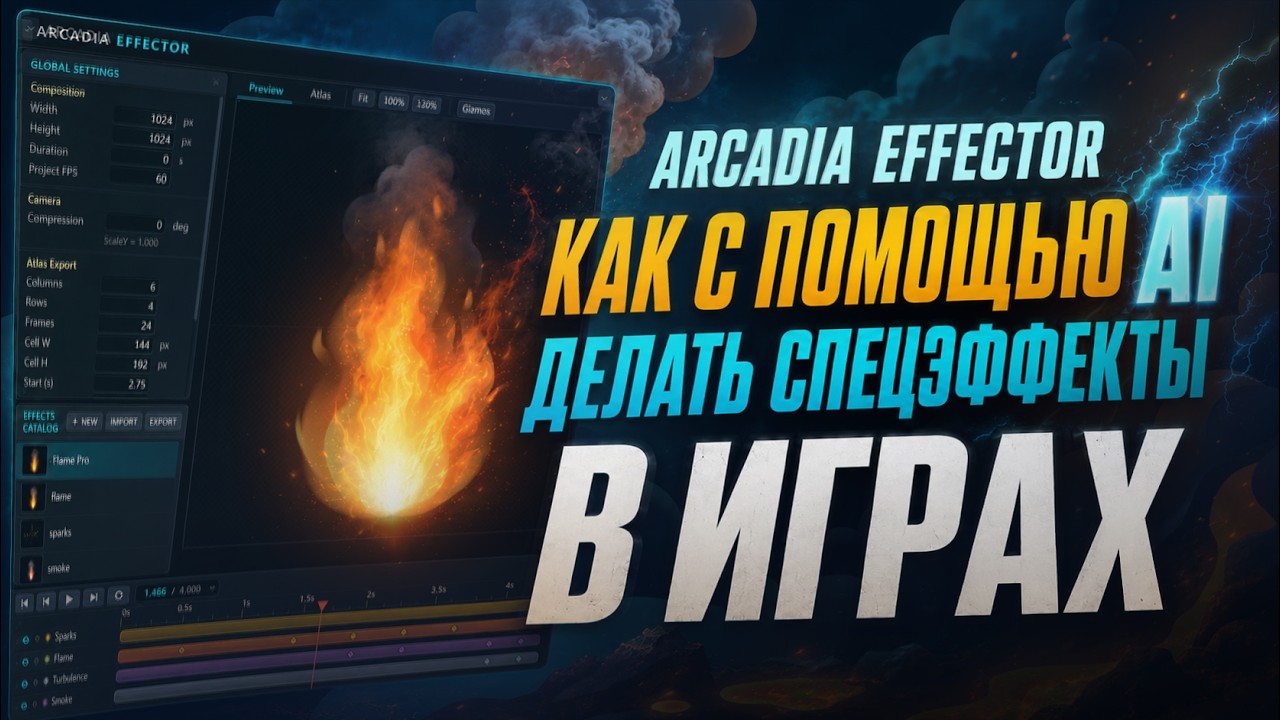
▶ Watch the overview on YouTube
-
LLM-friendly codebase
The editor is intentionally structured so coding agents can understand and modify it. -
AI-generated VFX
Claude Code or Codex can generate complete effects directly from a description. -
Full visual editor
Effects can also be created and adjusted manually without using an LLM. -
Powerful particle engine
Emitters, bursts, paths, sub-emitters, trails, branching, physics, gradients, glow and more. -
Real-time simulation
Up to 20,000 particles in real time on an i7 / RTX 3070 class system without prerendering. -
Game-ready export
Export effects directly as sprite atlases or PNG sequences. -
Deterministic simulation
Preview, timeline scrubbing and export produce the same result. -
Standalone
Vanilla JavaScript + Canvas2D. No build step and no external runtime dependencies.
Arcaidia Effector is designed as both a visual editor and an environment that coding agents can operate directly.
A typical workflow looks like this:
Describe an effect
        ↓
Claude Code / Codex
        ↓
Generate or modify effect JSON
        ↓
Open in Arcaidia Effector
        ↓
Preview and adjust
        ↓
Export sprite atlas
        ↓
Use in gamee
Effects are stored as readable JSON rather than a proprietary binary format.
Textures can be embedded directly into the effect file, making effects portable between installations.
For coding agents:
CLAUDE.md- agent workflow and project rulesskills/- subsystem-specific LLM instructionsdocs/ARCHITECTURE.md- architecturedocs/FORMAT.md- effect data format
Emitters support:
- Point, Circle, Ring, Box and Line shapes
- Animated paths
- Continuous emission
- Bursts
- Particle lifetime
- Velocity and direction
- Gravity
- Drag
- Turbulence
- Size over lifetime
- Opacity over lifetime
- Color gradients
- Glow
- Velocity stretching
- Multiple blend modes
Emitter paths can act as both:
Emission paths
Particles can spawn anywhere along an animated curve.
Particle guides
Existing particles can be attracted to a path, attached to it, or flow along it.
Path nodes can be animated independently using keyframes.
This makes it possible to build effects such as:
- sword trails
- energy streams
- curved projectile trails
- orbital particles
- animated lightning paths
Particles can become emitters themselves.
Child particles have their own:
- lifetime
- sprite
- physics
- curves
- gradient
- glow
- trail settings
Emission can happen:
- during the parent's lifetime
- when the parent dies
- using both modes simultaneously
Multiple sub-emitter generations are supported.
Particles can render their movement history as trails.
The trail system supports:
- glowing cores
- zigzag motion
- procedural branching
- multiple branch generations
This can be used for lightning, electricity, energy arcs and similar effects.
Effects are not limited to particles.
You can combine emitters with:
- animated sprites
- flashes
- shockwaves
- ground rings
- imported sprite sheets
- previously rendered VFX
Existing sprite atlases can be imported directly as Atlas layers and mixed with procedural particles.
Post FX layers work similarly to adjustment layers.
The current system includes motion blur with:
- directional blur
- radial blur
- zoom blur
- animated intensity
- animated blur center
- adjustable sample count
- optional half-resolution processing
Most parameters can be animated with keyframes.
Supported interpolation modes include:
- Linear
- Easy Ease
- Ease In
- Ease Out
- Hold
- Custom Bezier easing
A graph editor is included for precise animation control.
Particle lifetime curves are available for:
- size
- opacity
- color
The central preview shows the effect while it is being simulated.
Interactive gizmos allow you to edit:
- emitter positions
- sprite positions
- motion paths
- path nodes
- radial fade areas
- Post FX centers
Changes can automatically generate keyframes when animation is enabled.
Effects can be rendered directly into a sprite atlas.
You can configure:
- frame size
- frame count
- columns and rows
- time range
- supersampling
Export modes:
RGBA on transparent background
Color on black
White mask on black
Effector can also generate metadata containing:
{
  "frameWidth": 256,
  "frameHeight": 256,
  "frames": 32,
  "fps": 30
}Effects can also be exported as a .zip containing numbered PNG frames:
Effect_0000.png
Effect_0001.png
Effect_0002.png
...
meta.json
Sprite atlas export and sequence export use the same simulation and sampling system.
Simulation runs using a fixed timestep:
1 / 120 sec
and seeded random generation.
This means that for the same effect:
Preview
Timeline scrubbing
Resimulation
Atlas export
Sequence export
produce the same result.
Changing an emitter's seed creates another particle variation while keeping all other parameters unchanged.
Run:
run.bat
This starts:
node server.mjson port:
5179
and opens the editor in your browser.
Effects are saved to:
library/*.json
and can be committed directly to Git.
You can also open:
index.html
directly.
The editor still works, but the effect library is stored in browser localStorage instead of the filesystem.
index.html
css/
    editor.css

js/
    core/
        simulation
        rendering
        animation
        paths
        sprites
        atlas
        presets

    ui/
        inspector
        timeline
        preview
        textures
        catalog
        widgets

library/
    saved effect JSON files

library/textures/
    collected textures

tools/
    validate.mjs
    collect.mjs

server.mjs
There is no compilation or bundling step.
Each effect is stored as a single JSON document.
Required textures can be embedded directly as data URLs.
This means an effect can be copied to another installation without preserving external asset paths.
The whole editor folder can also be moved between machines.
For normal server mode:
Node.js
That's it.
No:
npm install
No build system.
No package manager required.
Detailed editor documentation:
Most visual effect editors are designed exclusively around a human operating a graphical interface.
Arcaidia Effector is designed around a different workflow:
the editor itself is understandable and controllable by an LLM.
You can describe an effect.
An LLM can build it.
Effector can simulate it.
You can adjust it visually.
And the result can be exported directly into a game-ready sprite atlas.
Code → particles → pixels.