


ChatGPT Utils is a lightweight and modular browser extension designed to enhance your experience on ChatGPT Web.


Note: The version in the Chrome Web Store will take some time to update because it requires an approval review process before publishing, even though the initial update has been released on GitHub.
A personal learning project creating utilities to improve the ChatGPT experience.
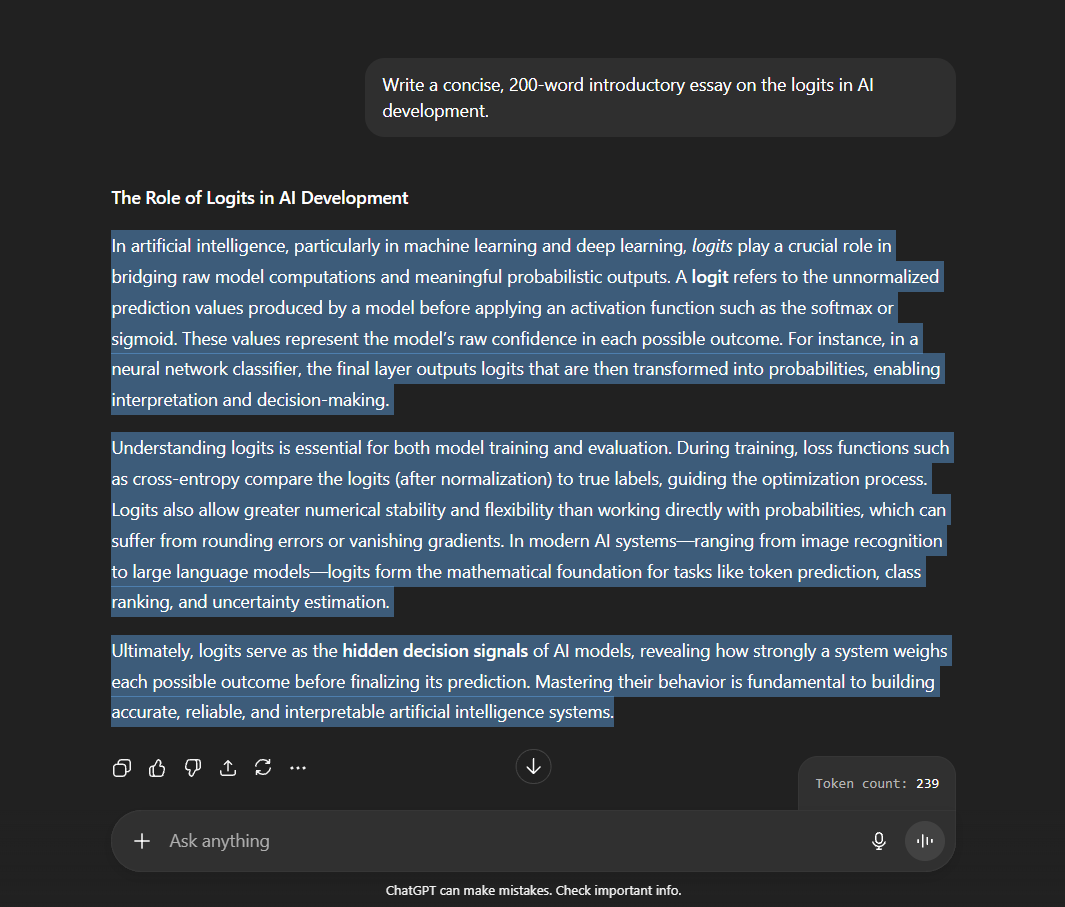
🎫 Token Counter
Quickly see how many tokens your selected text will consume. Perfect for both free and paid users who want to monitor usage efficiently.
- Powered by OpenAI-compatible tokenizers (
o200kandcl100ksupport)
Click Here to Preview
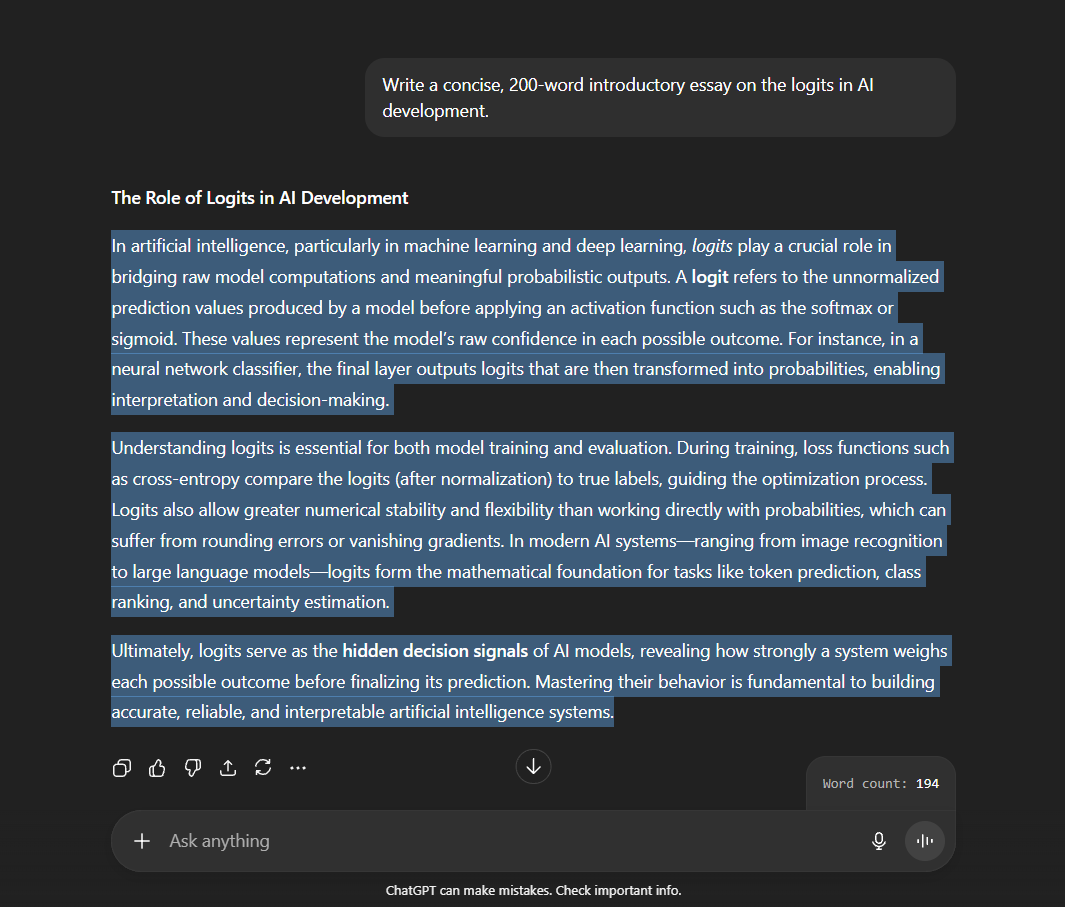
🈸 Word Counter
Instantly count the number of words in your selected text.
- Powered by Alfaaz, the fastest known word counter (credit to @thecodrr).
Click Here to Preview
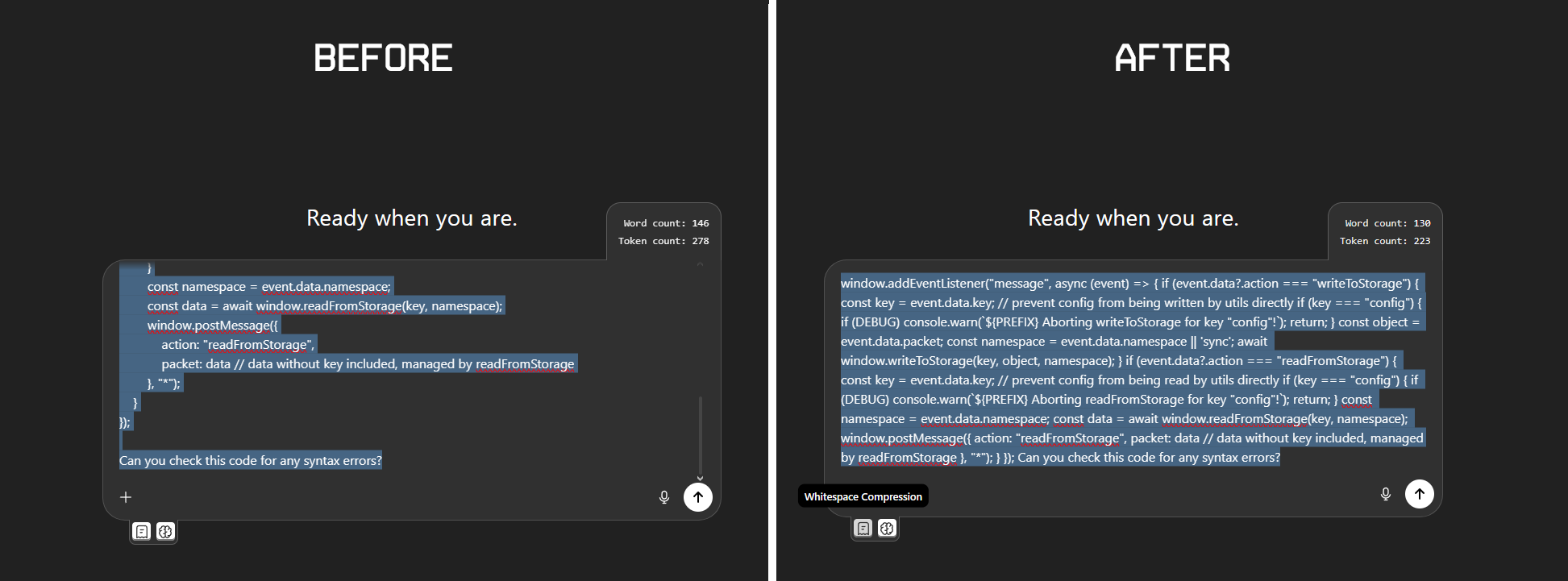
📜 Prompt Compressor
Instantly compresses your prompt to preserve tokens.
| Compression Method | What It Does | Estimated Token Preservation | Best Use Case |
|---|---|---|---|
| Whitespace Compression | Removes unnecessary spacing to reduce token count without altering meaning. | ~15–40% fewer tokens (varies with formatting density). | Ideal for long prompts where formatting isn't semantically important (e.g., notes, paragraphs, codes). |
| Lexical Compression | Shortens text by replacing verbose phrases with concise equivalents while preserving meaning. | ~5–20% fewer tokens (highly dependent on prompt structure and verbosity). | Best for prompts containing repeated or verbose explanations (e.g., instructions, paragraphs, references). |
Click Here to Preview
- Head over to the ChatGPT Utils page on the Chrome Web Store.
- Click "Install". You're all set! The extension will automatically update in the future.
- Get the code:
- Clone the repository, or
- Download the
.zipfile and extract it to a new folder.
- Open Extensions: Type
chrome://extensions/(for Chrome) oropera://extensions/(for Opera/Opera GX) into your browser's address bar and hit Enter. - Enable Developer Mode: Find and toggle on "Developer mode" (usually in the top-right corner).
- Load Extension: Click "Load unpacked" and select the folder you extracted in step 1.
Note: This extension does not support Firefox or Safari.
The current version only includes the Token Counter, but more utilities and functions are coming soon:
- Automatic Update System - The
update_urlkey has been restricted in many browsers, making this feature only available via the Chrome Web Store. - Token Counter
- Word Counter
- Multi Tokenizers
- Utility Selection UI
- Prompt Compressor
- Token Tracker
- Analytics Dashboard
- Chat Exporter
-
Chat Organizer(deprecated) - Theme Customizer
- AI Hub and many more...
Stay tuned for regular feature drops and UI improvements!
Suggestions, feature requests, or bug reports are welcome.
Create an issue or open a pull request on the repository.
PolyForm Noncommercial License 1.0.0

Copyright (c) 2025 Zed Unknown

Licensed under the PolyForm Noncommercial License 1.0.0
See https://polyformproject.org/licenses/noncommercial/1.0.0/