
This is a simple app that allows course plotting on user-defined maps.
The idea for this app came while reading The Wheel of Time and I wanted to know the distances they were traveling in those books. Sometimes those distances were stated, but more often they were not. I have to mention here that there are resources like wheeloftimelines.com, which offer a very comprehensive map with routes for most major stories from the series. However, they do not show the length of those routes. It might seem like a silly thing to get fixated on, and maybe it is, but I always like to compare distances and world sizes from fiction with distances that I am more familiar with from real life, to get a better sense of the scale of those worlds (the Westlands is immense!). I wanted something like what Google Maps offers: plotting a path and getting its distance, but for any map (supplied from an image) and with custom units of measurement. (did you know that a Westlands league is 4 miles, but those are not equivalent to 4 real miles, but more like 4.5 miles and approx. 7.3 km.? ...)
So that is why I started working on this project, which also explains its original name, but in time it became a more general route planner/course charter app where you can define any map you want (given a high-quality image of said map and a "known" distance between two points on that map).
- How to define a map
- Node naming and filtering out unnamed nodes
- Autosave
- Customize path markers
- Save location
- System requirements
To create a new map definition you will need an image of that map (the higher the resolution the better) and a known distance between two locations on that map.
For this example let's use the map of Elendel Basin from Wax&Wayne(Mistborn 2) series by Brandon Sanderson. The nice thing about this example is that the "known distance on the map" is provided in the image in the form of a bar scale. It's not always that easy, sometimes the known distance is between two cities or other points of interest, other times the distances provided are vague and you have to do with what you have. Now we need to find out the distance in pixels of that "known distance" on our image of the map. For this you can use the measure tool of an image editor like Gimp, or better yet you can use this app to do the same thing, and much easier and faster.
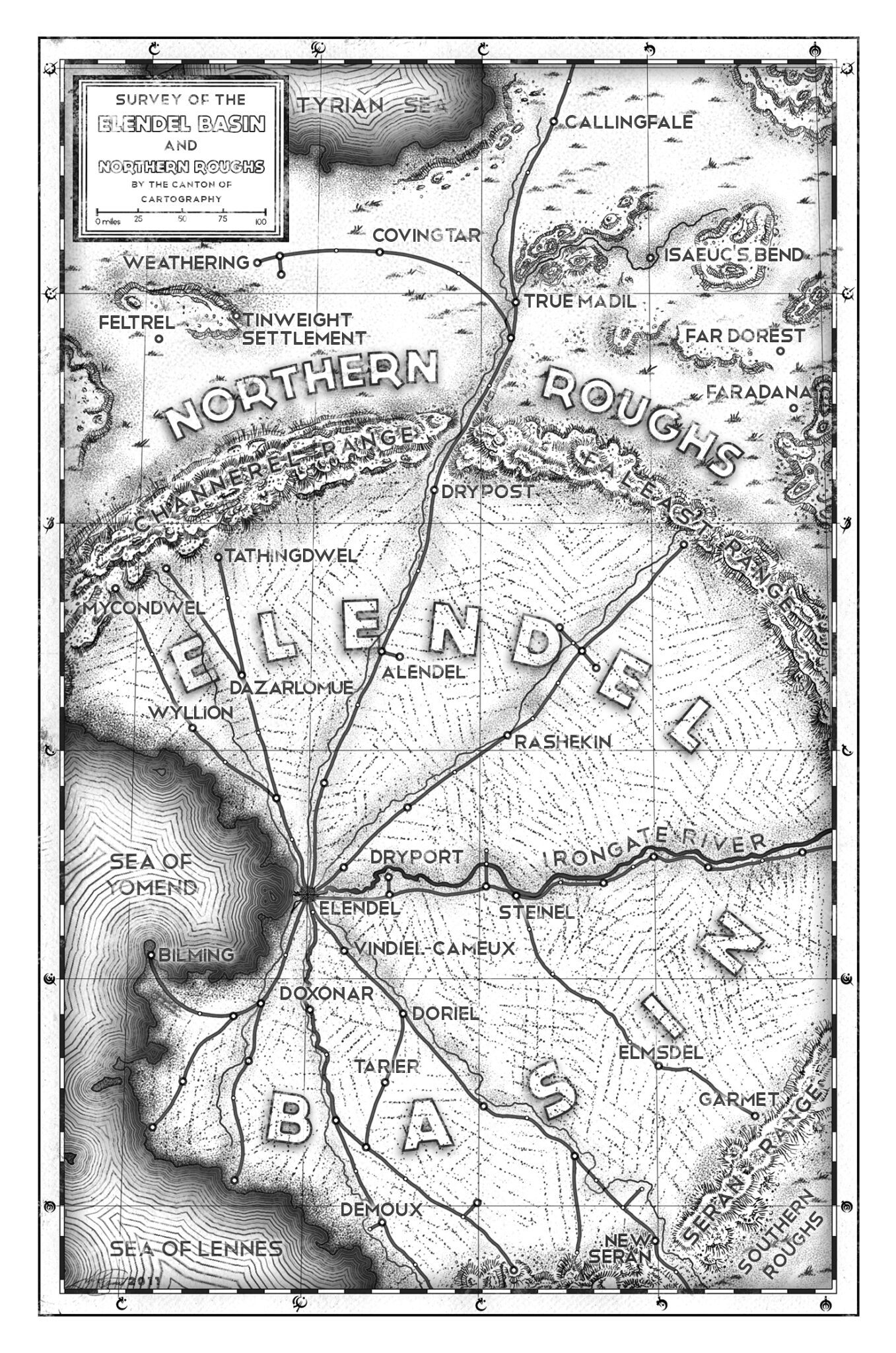
So let's do that. First, we need to create a map (which we will delete later) using our map image. The important thing here is that we set 1 unit/1 pixel so that the distance we get will be in pixels. Then we plot a simple line path with the ends at the start and end of the bar scale. (For a guide on how to add path nodes and other stuff check out the "Guide" page inside the app).


Now we know that for our map we will have 100 miles/255 pixels which are the values for Sample length units and Sample length pixels respectively. Let's create our actual map.

All we have to do now is delete the first map we created, and then we can start charting our course!

Node names can be changed by double-clicking their name in the node list to enable editing, then pressing Enter to save the change or Esc to cancel.

To clear up the clutter that can arise from adding multiple intermediary nodes between important nodes, check the Show only named nodes box above the node list to filter out nodes that have not been given a specific name by the user. The distances will also be updated to show the correct values for the total distance between visible nodes in the list.

Every time the path is modified in any way the app will automatically save it to the disk so if you closed the app by accident or forgot to save the path before exiting the program your path data won't be lost, and you can continue where you left off. This feature can be disabled in the settings menu.

The color and size of the map pins and path line can be changed in the settings menu. The pattern of the path line can also be changed.

User-defined maps, saved paths and user settings file are saved in %USERPROFILE%/Documents/CourseCharter
- Windows x64 OS
- .NET8 runtime
- VC++ Redist (OpenTK requires this)